Use a real business address without renting an office
Keep your home address private, route business mail through a real street address, and manage vendor, customer, and account mail online.
PostalBridge gives businesses a business-facing mailing address plus the mailbox tools needed to review, scan, forward, and organize incoming mail.

Guided USPS setup
Complete mailbox authorization online with Form 1583 guidance.

Vetted partner locations
Choose from real mail centers set up to receive and handle mail.

30-day guarantee
Try PostalBridge risk-free. Get a full refund within 30 days.
Why choose Virtual business address
Use the address for business-facing mail, keep home and business mail separate, and manage the day-to-day workflow online through a participating PostalBridge location.
Route vendor mail, customer correspondence, and account notices through one business-facing address.
Protect your residential address while giving the company a more credible mail setup.
Track incoming items, scans, and request history from the same mailbox view.
Keep a founder, assistant, or teammate aligned on what arrived and what still needs action.
Real mail centers. Real mail handling.
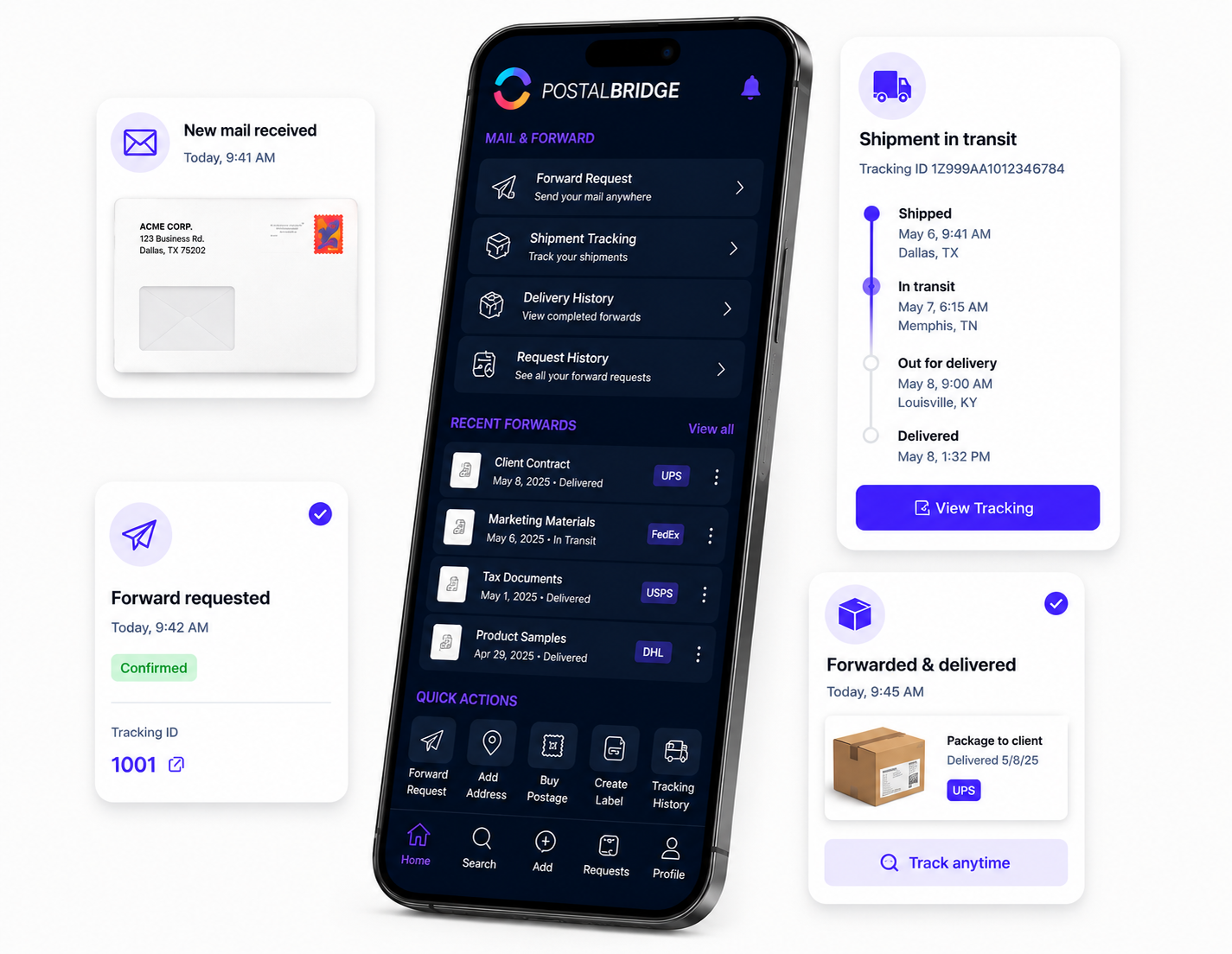
PostalBridge connects you with vetted partner mail centers that receive your mail, handle requests, and support your digital mailbox workflow.
Choose a real location, complete mailbox verification online, and manage your mail from anywhere.
Vetted partner mail centers
Your mailbox is tied to an authorized partner location reviewed for mail intake, handling, and customer support.
Online scans, forwarding, and pickup
View incoming mail, request scans, forward items, or pick up locally where supported.
Workflows tied to your selected location
Your address, plan, recipients, and handling options stay connected to the mail center you choose.

Real partner mail centers support the address and mail-handling workflow behind your digital mailbox.
What a virtual business address helps you do
Use the address for business-facing mail, keep home and business mail separate, and manage the day-to-day workflow online through a participating PostalBridge location.
Use a real street address for routine business mail
Customers can use a participating partner mail center address for vendor mail, customer correspondence, account notices, and other business-facing mail that should not route through a home address.
Protect home-address privacy for common small-business setups
This is useful for LLC owners, home-based businesses, consultants, ecommerce sellers, and remote teams that want business mail separated from residential life.
Keep visibility and decisions in one online workflow
Review incoming items in the dashboard, follow the daily digest, track requests, and use scans, forwarding, pickup, archive, or shredding workflows where the location supports them.
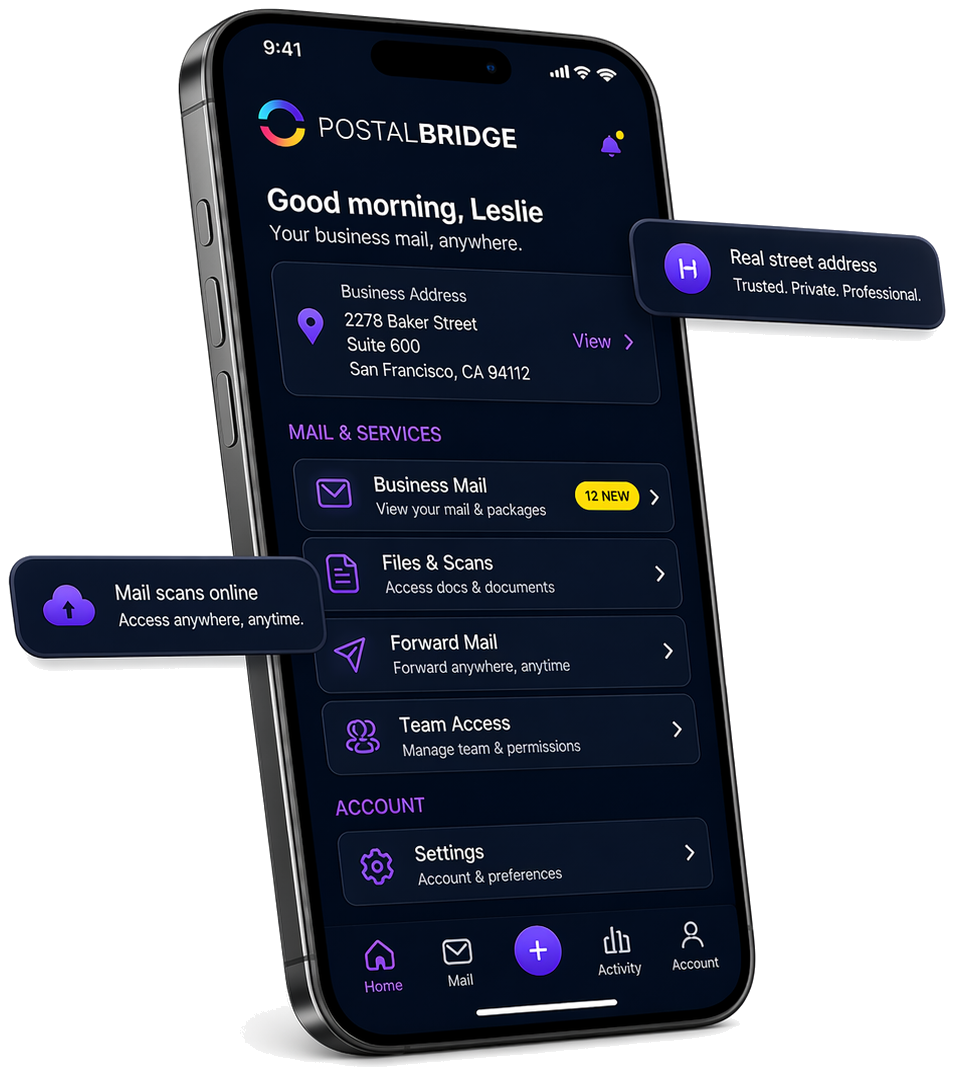
Get the real address, mailbox number, and next action in one place
Business mail stays easier to manage when the street address, recipients, and day-to-day mail actions all live in one shared operating view.
Keep the real street address, recipients, and the business-mail workflow visible from one operating dashboard.
Incoming items, scans, forwarding, and pickup options remain tied to the same business mailbox.
The dashboard makes it easier for a founder, assistant, or teammate to see what arrived and what still needs action.
PLANS & PRICING
Need regular scanning or shredding?
30-day money-back guarantee
Try PostalBridge risk-free. If it's not the right fit, cancel within 30 days of your successful signup payment and we'll refund your original signup payment, excluding pass-through costs like shipping, deposits, and per-use fees.
Swipe or use the arrows to see every plan
* Postage/shipping billed separately.
Starter plans have lower monthly pricing. Overages and select add-ons are priced 20% higher than Basic and above.
Applies to all plans: 30-day storage included | Free discard on request | 48-business-hour processing SLA | Secure shredding available
What comes with your virtual mailbox
See new mail, follow requests, and manage your mailbox online. Add scans, forwarding, and other handling services only when you need them.
Included with every mailbox
- Mailbox dashboard
- Daily digest
- Request tracking
- Mobile/web access
Available when you need them
- Scans
- Shredding
- Forwarding
- Postage
- Package handling
- Pickup and storage where supported
Some Plus plans include monthly scan and shred credits. Other services are billed as used, with availability and pricing depending on your plan and location.
| Feature | What it helps you do | Good for |
|---|---|---|
| Mailbox dashboard | See activity, address details, package check-ins, and request history in one place. | Anyone who wants one clear view of mailbox activity. |
| Daily mail digest emails | Review new mailbox activity in an informed-delivery-style summary without constant manual checking. | Busy customers who want proactive visibility. |
| Scan requests | Turn important physical mail into digital documents you can review, download, or archive. | Time-sensitive documents and remote review workflows. |
| Forwarding requests | Send eligible mail or packages where you need them next, with tracking and clear handling steps. | Travel, relocation, or distributed teams. |
| Mail rules automation | Route repeat mail decisions into repeatable workflows such as flagging, scanning, or forwarding. | Customers with recurring sender or document patterns. |
| Mobile apps | Check mailbox activity, requests, and updates from the device you already use every day. | Customers who manage mail away from their desk. |
| Recipients/team access | Keep mailbox activity organized across approved recipients, family members, or teammates. | Households, businesses, and shared mail workflows. |
| Ticket-based support | Give you a clear path for activation, billing, request, and mail-handling questions. | Anyone who wants accountable support instead of guesswork. |
| Secure verification | Complete Form 1583 and identity checks with guided steps and secure document handling. | New customers activating a real mail-receiving mailbox. |
Customer stories
Built for people who can't miss important mail
Remote workers, travelers, families, and business owners use PostalBridge to stay on top of what matters without being tied to one address.

I can see what arrived and decide what matters without waiting for a pile of mail at home.
Forwarding is straightforward — I request it, track it, and move on. It’s one less thing to worry about.
The plan comparison makes it easy to choose a level that matches our team’s needs.
Virtual business address FAQ
Concise answers to the common questions businesses ask before they rely on a mailing address and online mail-management setup.
Can I use a virtual business address for my LLC?
Can I use a virtual business address instead of my home address?
Is PostalBridge a registered agent service?
Can I use this address for a bank account?
Can I use this address for Google Business Profile?
How does USPS Form 1583 work?
Are scans and forwarding included?
Do services vary by location?
Popular cities
Start with live PostalBridge virtual business address city pages in some of the most-searched markets.
Find an address near you
Search available business-friendly addresses, compare locations and plan fit, and choose the setup that matches how your company actually receives mail.