Protect your home address without losing control of business mail
Move routine business mail to a real street address, keep your residence off public paperwork, and still manage every item online.
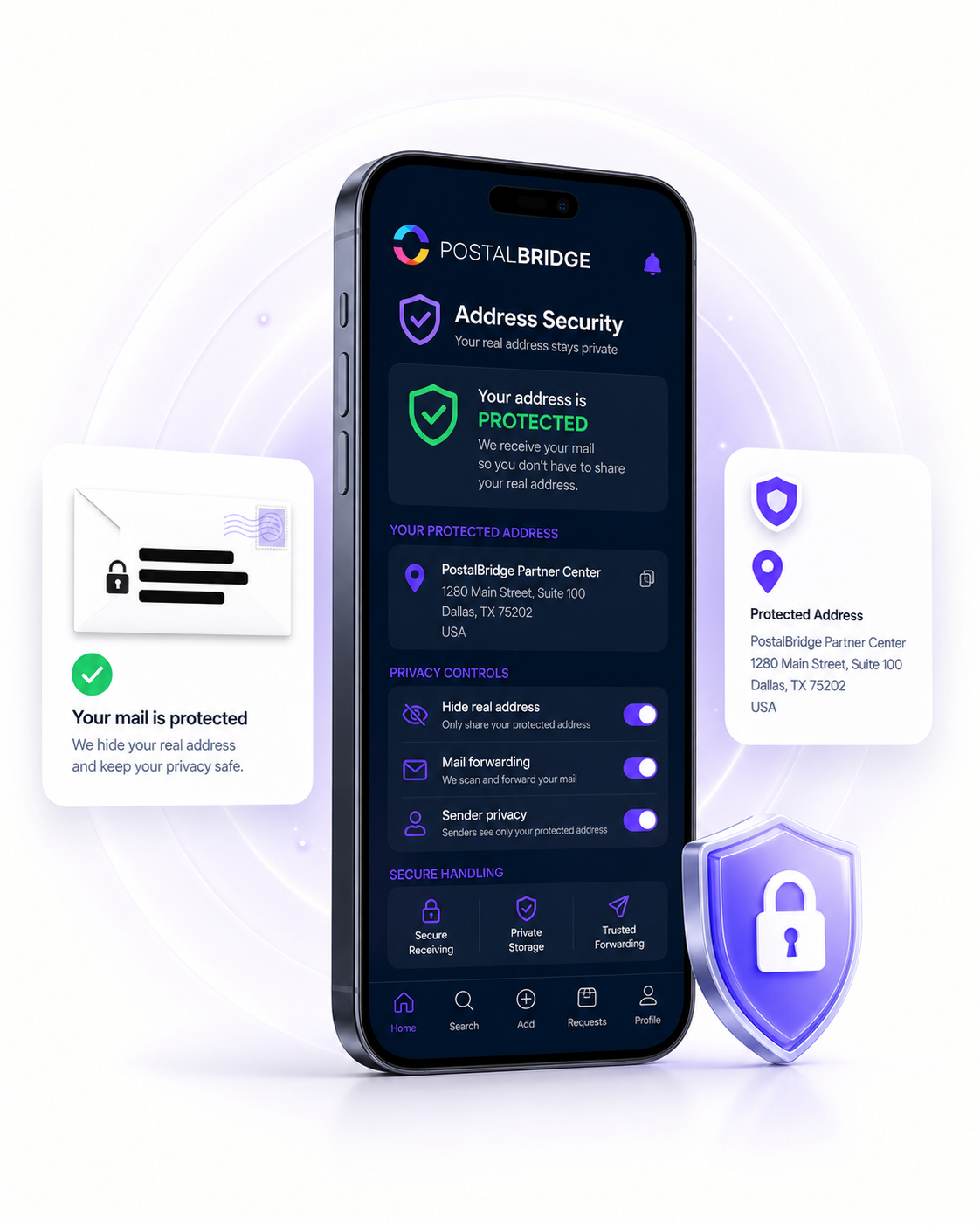
PostalBridge pairs address privacy with a real partner location and an online mailbox workflow so the privacy benefit holds up in day-to-day operations.

Guided USPS setup
Complete mailbox authorization online with Form 1583 guidance.

Vetted partner locations
Choose from real mail centers set up to receive and handle mail.

30-day guarantee
Try PostalBridge risk-free. Get a full refund within 30 days.
Why choose Address security
For many customers the biggest win is simple: routine business mail should not force them to publish where they live.
Use a business-facing mailing address instead of sending routine company mail back to your home.
Choose an address backed by a real partner mail center rather than a PO box workflow.
Keep the mailbox visible from one dashboard even when you are not physically near the address.
Give teammates or helpers access to the workflow without putting your residential address everywhere.
Real mail centers. Real mail handling.
PostalBridge connects you with vetted partner mail centers that receive your mail, handle requests, and support your digital mailbox workflow.
Choose a real location, complete mailbox verification online, and manage your mail from anywhere.
Vetted partner mail centers
Your mailbox is tied to an authorized partner location reviewed for mail intake, handling, and customer support.
Online scans, forwarding, and pickup
View incoming mail, request scans, forward items, or pick up locally where supported.
Workflows tied to your selected location
Your address, plan, recipients, and handling options stay connected to the mail center you choose.

Real partner mail centers support the address and mail-handling workflow behind your digital mailbox.
Why address security matters
For many customers the biggest win is simple: routine business mail should not force them to publish where they live.
Keep your residence off customer-facing and public paperwork
That is often the first reason founders and home-based operators look for a better mailing setup.
Use a real street address with real handling behind it
A staffed partner mail center gives the address more day-to-day practicality than a generic abstraction.
Keep control of the mail even when you are not local
The mailbox dashboard lets you review, scan, and forward mail without relying on your residence as the inbox.
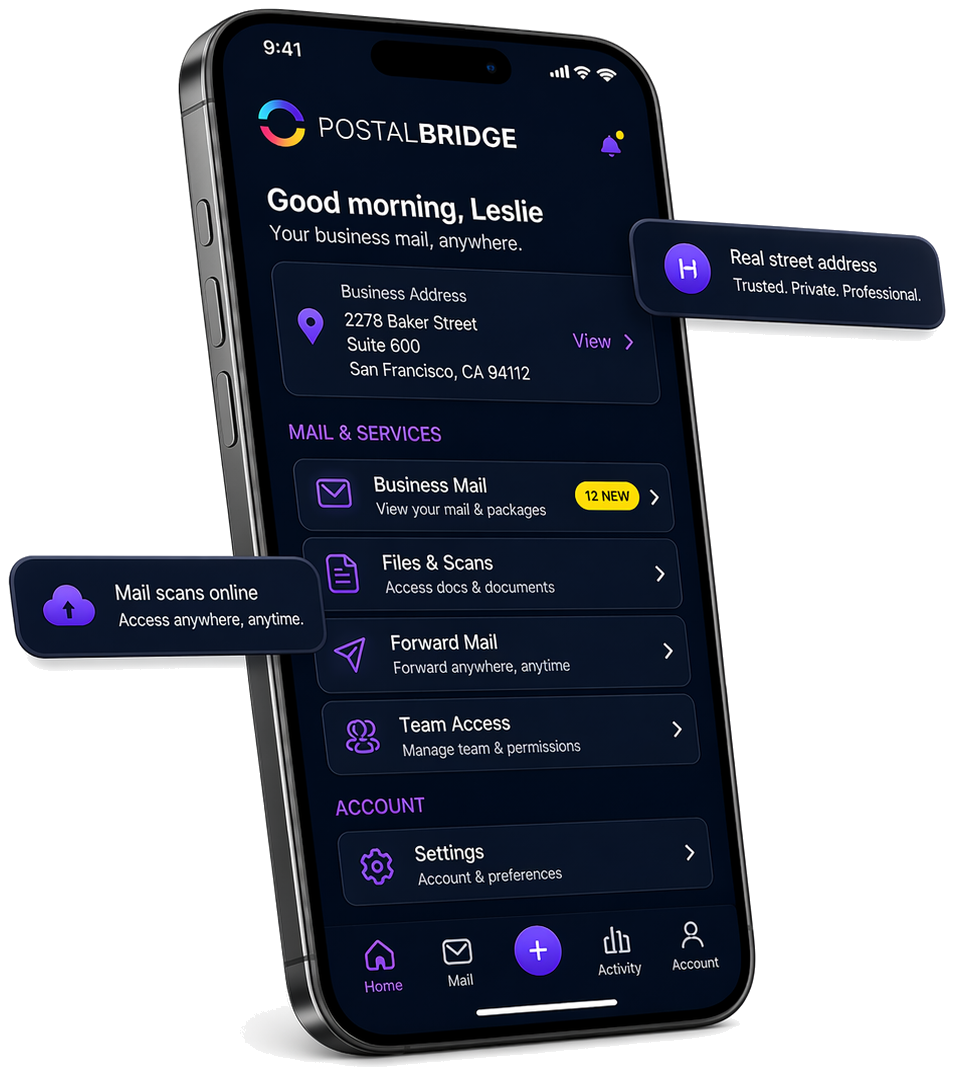
Get the real address, mailbox number, and next action in one place
Privacy holds up better when the public-facing address and the actual mail workflow stay organized in one place instead of being split across tools.
The dashboard keeps the business-facing address front and center so routine mail does not keep drifting back to your residence.
Recipient context, arrivals, and next steps stay centralized instead of being split across personal inboxes or paper mail piles.
You still review arrivals, request scans, and forward originals online while protecting your home address.
PLANS & PRICING
Need regular scanning or shredding?
30-day money-back guarantee
Try PostalBridge risk-free. If it's not the right fit, cancel within 30 days of your successful signup payment and we'll refund your original signup payment, excluding pass-through costs like shipping, deposits, and per-use fees.
Swipe or use the arrows to see every plan
* Postage/shipping billed separately.
Starter plans have lower monthly pricing. Overages and select add-ons are priced 20% higher than Basic and above.
Applies to all plans: 30-day storage included | Free discard on request | 48-business-hour processing SLA | Secure shredding available
What comes with your virtual mailbox
See new mail, follow requests, and manage your mailbox online. Add scans, forwarding, and other handling services only when you need them.
Included with every mailbox
- Mailbox dashboard
- Daily digest
- Request tracking
- Mobile/web access
Available when you need them
- Scans
- Shredding
- Forwarding
- Postage
- Package handling
- Pickup and storage where supported
Some Plus plans include monthly scan and shred credits. Other services are billed as used, with availability and pricing depending on your plan and location.
| Feature | What it helps you do | Good for |
|---|---|---|
| Mailbox dashboard | See activity, address details, package check-ins, and request history in one place. | Anyone who wants one clear view of mailbox activity. |
| Daily mail digest emails | Review new mailbox activity in an informed-delivery-style summary without constant manual checking. | Busy customers who want proactive visibility. |
| Scan requests | Turn important physical mail into digital documents you can review, download, or archive. | Time-sensitive documents and remote review workflows. |
| Forwarding requests | Send eligible mail or packages where you need them next, with tracking and clear handling steps. | Travel, relocation, or distributed teams. |
| Mail rules automation | Route repeat mail decisions into repeatable workflows such as flagging, scanning, or forwarding. | Customers with recurring sender or document patterns. |
| Mobile apps | Check mailbox activity, requests, and updates from the device you already use every day. | Customers who manage mail away from their desk. |
| Recipients/team access | Keep mailbox activity organized across approved recipients, family members, or teammates. | Households, businesses, and shared mail workflows. |
| Ticket-based support | Give you a clear path for activation, billing, request, and mail-handling questions. | Anyone who wants accountable support instead of guesswork. |
| Secure verification | Complete Form 1583 and identity checks with guided steps and secure document handling. | New customers activating a real mail-receiving mailbox. |
Customer stories
Built for people who can't miss important mail
Remote workers, travelers, families, and business owners use PostalBridge to stay on top of what matters without being tied to one address.

I can see what arrived and decide what matters without waiting for a pile of mail at home.
Forwarding is straightforward — I request it, track it, and move on. It’s one less thing to worry about.
The plan comparison makes it easy to choose a level that matches our team’s needs.
Address security FAQ
Answers to the main questions about keeping your residence out of routine business mail.
Can this help keep my home address off business paperwork?
Is this a PO box?
Do I still need USPS Form 1583?
What page should I visit if I want the broader virtual address comparison?
Choose an address that protects your home without losing control of the mail
Compare real locations, review plan details, and move routine business mail away from your residence without losing visibility or control.